



Introduction
When you create a new website, one big question comes to mind:
How will people find my website on Google?
This is where SEO comes in.
SEO helps your website appear in Google search results when people search for topics related to your content. Without SEO, your website may stay hidden, even if your content is good.
In this blog, you will learn:
- What SEO is
- How SEO works
- Why SEO is important for new websites
- Simple SEO steps beginners can follow
This guide is written in easy English, specially for new website owners.
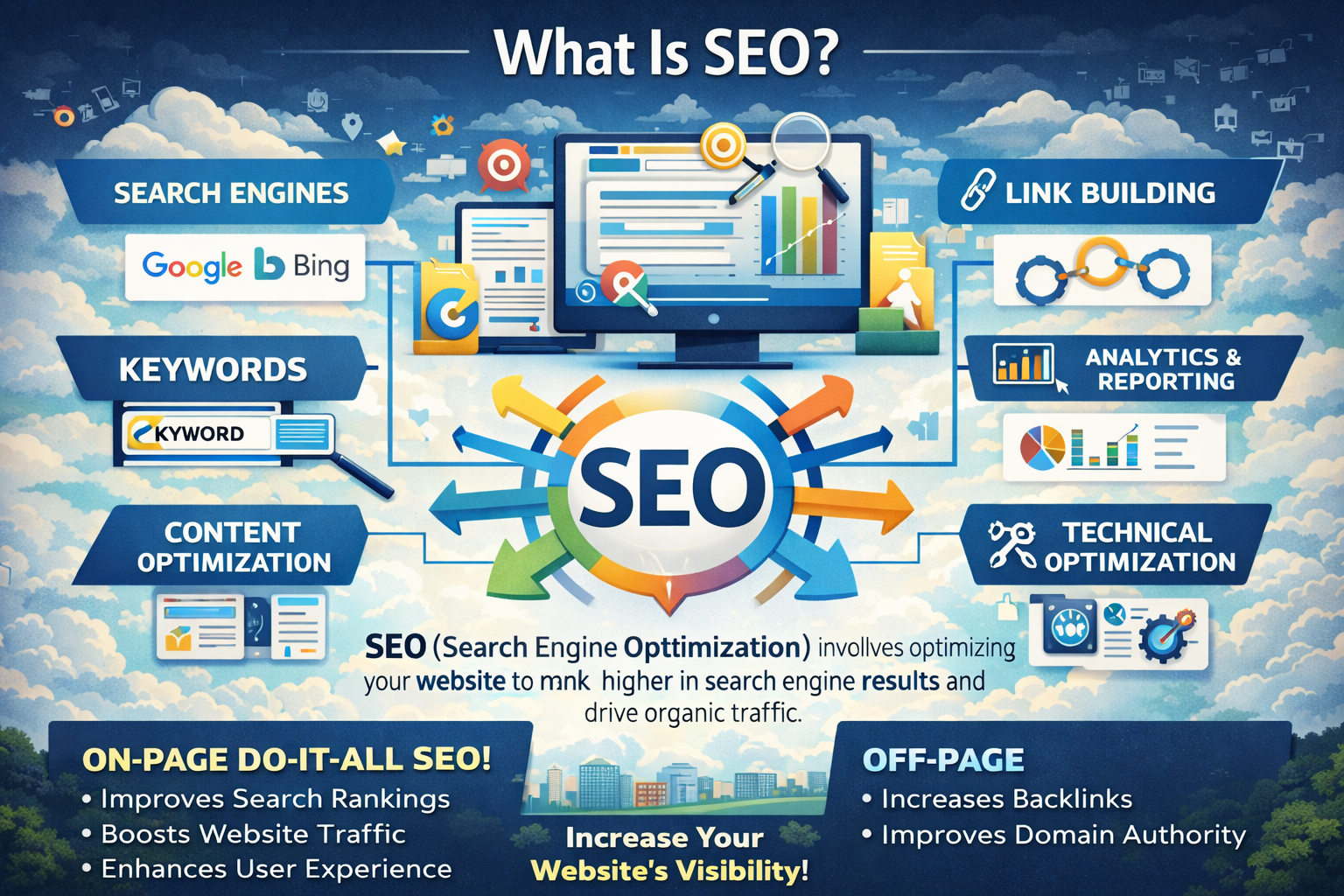
What Is SEO?
SEO means Search Engine Optimization.
SEO is the process of improving your website so search engines like Google can:
- Understand your content
- Trust your website
- Show your pages in search results
When your website ranks higher on Google, more people visit your site for free.
Simple Example
If someone searches:
“what is seo for beginners”
Google shows websites that:
- Answer this question clearly
- Have good content
- Load fast
- Are easy to read
SEO helps your website become one of those results.
Why SEO Is Important for New Websites
SEO is very important for new websites because:
- New websites have no traffic
- SEO brings free visitors
- SEO builds long-term growth
- SEO helps with Google AdSense approval
- SEO increases trust
Paid ads stop when money ends, but SEO keeps working for a long time.
How Search Engines Work (Simple Explanation)
Search engines work in three main steps:
1. Crawling
Google uses bots (also called spiders) to visit websites and read pages.
If your website is well-structured, Google can crawl it easily.
2. Indexing
After crawling, Google saves your page in its database.
This means Google remembers your page.
3. Ranking
When someone searches a keyword, Google decides:
- Which page is most helpful
- Which page is trustworthy
- Which page should come first
SEO helps your website rank higher in this step.
Image Suggestion
Alt text: How search engines work step by step
Image idea: Simple search engine process diagram (WebP, compressed)
Main Types of SEO
SEO has three main types:
- On-Page SEO
- Off-Page SEO
- Technical SEO
Let’s understand them one by one.
1. On-Page SEO
On-page SEO means optimizing things inside your website.
Important On-Page SEO Elements
Title Tag
- Main title of your page
- Appears in Google results
- Should include your main keyword
Example:
What Is SEO and How It Works for New Websites
Meta Description
- Short summary of your page
- Helps users decide to click
Example:
Learn what SEO is and how it works for new websites in simple words. Beginner friendly guide.
Headings (H1, H2, H3)
- Use headings to organize content
- Makes reading easy
- Helps Google understand structure
Content Quality
Good content should be:
- Original
- Helpful
- Easy to understand
- Written for humans
Avoid copying content from other websites.
Internal Links
- Link one page of your website to another
- Helps users and Google
- Improves SEO
Image Suggestion
Alt text: On-page SEO elements explained
Image idea: SEO checklist infographic (small size, WebP)
2. Off-Page SEO
Off-page SEO means activities done outside your website.
Important Off-Page SEO Factors
Backlinks
Backlinks are links from other websites to your website.
Good backlinks:
- Increase trust
- Improve ranking
- Show authority
For new websites, focus on:
- Guest posts
- Helpful content
- Natural links
Social Sharing
Sharing your content on:
- X (Twitter)
This increases visibility and traffic.
Image Suggestion
Alt text: Off-page SEO backlink concept
Image idea: Website backlink flow diagram (lightweight)
3. Technical SEO
Technical SEO helps search engines access your website easily.
Important Technical SEO Points
Website Speed
- Fast websites rank better
- Users leave slow websites
Tips:
- Use compressed images
- Use caching
- Choose good hosting
Mobile Friendly Website
- Most users use mobile phones
- Google uses mobile-first indexing
Your website must work well on all screen sizes.
HTTPS Security
- Secure websites use HTTPS
- Builds trust
- Required for AdSense
Clean URLs
Good URL:
yoursite.com/what-is-seo
Bad URL:
yoursite.com/page?id=123
Image Suggestion
Alt text: Technical SEO website optimization
Image idea: Website speed and mobile optimization graphic
Keyword Research for New Websites
Keywords are words people type in Google.
How Beginners Can Find Keywords
- Google search suggestions
- “People also ask” section
- Free tools:
- Google Keyword Planner
- Ubersuggest
- Keywordtool.io
Best Keywords for New Websites
- Long-tail keywords
- Low competition
- Clear intent
Example:
“what is seo and how it works for new websites”
SEO Content Tips for Beginners
To write SEO-friendly content:
- Use simple words
- Keep sentences short
- Answer user questions
- Use headings and points
- Add images
Ideal length:
- 1000–1500 words
Image Suggestion
Alt text: SEO content writing structure
Image idea: Blog content layout illustration
Common SEO Mistakes to Avoid
New website owners often make these mistakes:
- Copying content
- Keyword stuffing
- Ignoring mobile users
- Slow website speed
- Expecting fast results
SEO needs time and patience.
How Long SEO Takes for New Websites
SEO results are not instant.
- First 1–3 months: Google notices your site
- 3–6 months: Some keywords rank
- 6–12 months: Traffic grows
Consistency is very important.
SEO and Google AdSense Approval
SEO helps with AdSense approval because:
- SEO improves content quality
- SEO improves user experience
- SEO builds trust
For AdSense approval, make sure:
- Content is original
- Pages are complete
- Navigation is clear
- Privacy Policy is added
Best Free SEO Tools for Beginners
- Google Search Console
- Google Analytics
- Rank Math or Yoast SEO
- PageSpeed Insights
- Ubersuggest
These tools help you track and improve SEO.
Final Thoughts
SEO is one of the best skills for website owners.
For new websites, SEO is the best free way to get visitors from Google.
Focus on:
- Original content
- Simple structure
- User experience
With time and effort, SEO can grow your website naturally.
Quick SEO Checklist
✔ Original content
✔ Proper headings
✔ Fast loading images
✔ Mobile friendly
✔ HTTPS security
✔ Keyword research
✔ Internal links
